Use this page to inspect the build components, connector references, cable routes, airflow plan, BIOS training flow, driver sources, QR links, and maintenance log template.
Digital Twin Data Slice
This Starlight component reads the framework-neutral JSON data indata/digital-twin/build.json. It proves that the first slice can render documentation from structured source data without embedding build facts only in the UI.
Components
9 verified records
schema validated
Connectors
18 structured records
coordinates labelled
Cables
9 structured routes
routes referenced
Airflow
3 planned zones
static fallback ready
Verification states present in this slice:verified, partially_verified, deferred.
Component Inspector
Select a component to inspect its exact model, role, verification state, source chapter, and manufacturer reference.
component data
Static Component Inspector List
AMD Ryzen 7 7800X3D: 100-100000910WOF. AM5 gaming CPU installed in the motherboard socket. Verification: verified.
ARCTIC Liquid Freezer III Pro 360: ACFRE00180A. 360mm AIO liquid cooler mounted in the top radiator position. Verification: verified.
Gigabyte B850 AORUS Elite WiFi7: B850 AORUS ELITE WIFI7 rev. 1.x. Central AM5 motherboard for CPU, memory, SSD, GPU, headers, and power connections. Verification: verified.
Lian Li O11 Dynamic Mini V2 Flow: O11DMIV2FX. Case, airflow frame, radiator mount, and cable-routing enclosure. Verification: verified.
ASUS TUF Gaming 1000W Gold: TUF-GAMING-1000G. Fully modular ATX power supply for motherboard, CPU, GPU, and optional accessory power. Verification: verified.
Windows 11 Pro: USB installation media. Operating system installed from an existing Windows 11 Pro USB installer. Verification: verified.
Interactive Case View
Schematic view of the Lian Li O11 Dynamic Mini V2 Flow layout. Select a zone to inspect the verified build data behind it.
data-backed
Static Zone List
Top radiator: Top 360mm radiator exhaust position. Components: ARCTIC Liquid Freezer III Pro 360. Verification: verified.
Motherboard: Right-edge cable entry zone for ATX 24-pin and front USB routing. Components: Gigabyte B850 AORUS Elite WiFi7, AMD Ryzen 7 7800X3D, G.SKILL Trident Z5 Neo RGB 32GB DDR5-6000 CL30, Samsung 990 PRO 2TB NVMe SSD. Verification: partially_verified.
Graphics card: Area occupied by the installed GPU and its PCIe power cable. Components: Gigabyte Radeon RX 9060 XT Gaming OC 16GB. Verification: partially_verified.
Side intake: Two side intake fans supply fresh air into the main chamber. Components: Lian Li O11 Dynamic Mini V2 Flow. Verification: verified.
Bottom intake: Three bottom intake fans feed cool air toward the GPU and motherboard. Components: Lian Li O11 Dynamic Mini V2 Flow. Verification: verified.
PSU: PSU output side for modular ATX, EPS, PCIe, and optional SATA power cables. Components: ASUS TUF Gaming 1000W Gold. Verification: partially_verified.
Cable chamber: Rear chamber for PSU modular cables and slack management before panel closure. Components: ASUS TUF Gaming 1000W Gold, Lian Li O11 Dynamic Mini V2 Flow. Verification: partially_verified.
Motherboard Connector Map
Schematic map of the build-critical motherboard connectors. Connector identities and use are source-backed; exact interactive coordinates remain schematic until board-photo verification is added.
connector data
Static Connector List
ATX_24PIN: ATX_24PIN motherboard power header. Zone: Motherboard right-edge 24-pin and USB area. Verification: partially_verified.
CPU EPS: CPU EPS power header. Zone: Motherboard top-left CPU EPS area. Verification: partially_verified.
CPU_FAN: CPU_FAN header. Zone: CPU fan and pump header area. Verification: verified.
CPU_OPT: CPU_OPT header. Zone: CPU fan and pump header area. Verification: verified.
FAN4_PUMP: FAN4_PUMP header. Zone: CPU fan and pump header area. Verification: verified.
Select a cable to isolate its schematic route, endpoint labels, routing zones, and build dependency notes. Routes are planning guides, not measured cable coordinates.
route isolation
Static Cable Route List
24-pin ATX motherboard power cable: PSU 24-pin ATX modular output to ATX_24PIN motherboard power header. Route: PSU modular cable panel > Rear cable-management chamber > Motherboard right-edge 24-pin and USB area. Verification: partially_verified.
CPU EPS power cable: PSU CPU EPS modular output to CPU EPS power header. Route: PSU modular cable panel > Rear cable-management chamber > Motherboard top-left CPU EPS area. Verification: partially_verified.
PCIe 8-pin GPU power cable: PSU PCIe modular output to GPU PCIe 8-pin power socket. Route: PSU modular cable panel > Rear cable-management chamber > Graphics card area. Verification: partially_verified.
Case front-panel switch and LED leads: Rear cable-management chamber to F_PANEL case front-panel header. Route: Rear cable-management chamber > Motherboard bottom-edge front-panel area. Verification: partially_verified.
Front USB-A internal cable: Rear cable-management chamber to Internal USB 3.x front USB-A header. Route: Rear cable-management chamber > Motherboard right-edge 24-pin and USB area. Verification: partially_verified.
Front USB-C internal cable: Rear cable-management chamber to Internal USB-C front-panel header. Route: Rear cable-management chamber > Motherboard right-edge 24-pin and USB area. Verification: partially_verified.
Front HD audio cable: Rear cable-management chamber to HD audio front-panel header. Route: Rear cable-management chamber > Motherboard bottom-edge front-panel area. Verification: partially_verified.
ARCTIC AIO all-in-one control cable: Top radiator mount to CPU_FAN header. Route: Top radiator mount > CPU fan and pump header area. Verification: verified.
Optional SATA power cable: PSU optional SATA power modular output to Rear cable-management chamber. Route: PSU modular cable panel > Rear cable-management chamber. Verification: deferred.
Guided Build Sequence
Step through the verified build order and jump to the matching published chapter when you need the full instructions.
chapter linked
Static Build Sequence
Confirm parts and tools: AMD Ryzen 7 7800X3D, ARCTIC Liquid Freezer III Pro 360, Gigabyte B850 AORUS Elite WiFi7, G.SKILL Trident Z5 Neo RGB 32GB DDR5-6000 CL30, Samsung 990 PRO 2TB NVMe SSD, Gigabyte Radeon RX 9060 XT Gaming OC 16GB, Lian Li O11 Dynamic Mini V2 Flow, ASUS TUF Gaming 1000W Gold, Windows 11 Pro. Verification: verified.
Inspect the planned intake and exhaust pattern. The roles are verified for the static guide; final fan blade direction is still a physical pre-boot check.
airflow data
Bottom intake airflow
Three bottom intake fans feed cool air toward the GPU and motherboard.
Location
Bottom intake fan row
Direction
intake
Verification
verified
Side intake airflow
Two side intake fans supply fresh air into the main chamber.
Location
Side intake fan column
Direction
intake
Verification
verified
Top 360mm radiator exhaust
The top radiator is planned as exhaust, with bottom and side fans acting as intake.
Location
Top radiator mount
Direction
exhaust
Verification
verified
Static Airflow List
Bottom intake airflow: intake. Three bottom intake fans feed cool air toward the GPU and motherboard. Verification: verified.
Side intake airflow: intake. Two side intake fans supply fresh air into the main chamber. Verification: verified.
Top 360mm radiator exhaust: exhaust. The top radiator is planned as exhaust, with bottom and side fans acting as intake. Verification: verified.
Exploded Assembly View
Toggle between the assembled schematic and a lightweight exploded view of the major build layers. This is an assembly teaching aid, not a measured mechanical drawing.
assembly layers
Lian Li O11 Dynamic Mini V2 Flow
Case, airflow frame, radiator mount, and cable-routing enclosure.
verified
ASUS TUF Gaming 1000W Gold
Fully modular ATX power supply for motherboard, CPU, GPU, and optional accessory power.
verified
Gigabyte B850 AORUS Elite WiFi7
Central AM5 motherboard for CPU, memory, SSD, GPU, headers, and power connections.
verified
AMD Ryzen 7 7800X3D
AM5 gaming CPU installed in the motherboard socket.
verified
G.SKILL Trident Z5 Neo RGB 32GB DDR5-6000 CL30
Two-module AMD EXPO DDR5 kit installed in slots DDR5_A2 and DDR5_B2.
verified
Samsung 990 PRO 2TB NVMe SSD
M.2 2280 NVMe boot SSD installed in the preferred CPU-connected M2A_CPU slot.
verified
Gigabyte Radeon RX 9060 XT Gaming OC 16GB
Primary graphics card installed in the motherboard primary PCIe x16 slot.
verified
ARCTIC Liquid Freezer III Pro 360
360mm AIO liquid cooler mounted in the top radiator position.
verified
Static Assembly Layers
Lian Li O11 Dynamic Mini V2 Flow: Case, airflow frame, radiator mount, and cable-routing enclosure. Verification: verified.
ASUS TUF Gaming 1000W Gold: Fully modular ATX power supply for motherboard, CPU, GPU, and optional accessory power. Verification: verified.
Gigabyte B850 AORUS Elite WiFi7: Central AM5 motherboard for CPU, memory, SSD, GPU, headers, and power connections. Verification: verified.
AMD Ryzen 7 7800X3D: AM5 gaming CPU installed in the motherboard socket. Verification: verified.
ARCTIC Liquid Freezer III Pro 360: 360mm AIO liquid cooler mounted in the top radiator position. Verification: verified.
Educational BIOS Simulator
Training-only flow for first boot, boot order, EXPO, memory training, and rollback. It is not a screenshot or exact menu map for a specific BIOS version.
training only
default
Default boot before EXPO
Boot at defaults before enabling EXPO or tuning.
Verification
verified
Next states
USB installer boot order, Stable defaults with EXPO disabled
Static BIOS Training Flow
Default boot before EXPO: Boot at defaults before enabling EXPO or tuning. Next: USB installer boot order, Stable defaults with EXPO disabled. Verification: verified.
USB installer boot order: Use the Windows 11 Pro USB installer for OS installation, then boot from the NVMe SSD after installation. Next: NVMe boot after Windows installation. Verification: partially_verified.
NVMe boot after Windows installation: After Windows is installed, remove or de-prioritise the USB installer so the Samsung NVMe SSD boots first. Next: Stable defaults with EXPO disabled. Verification: partially_verified.
Stable defaults with EXPO disabled: Confirm the system is stable at default memory settings before enabling EXPO. Next: EXPO memory training. Verification: verified.
EXPO memory training: After EXPO is enabled, DDR5 memory training can take several minutes. Next: EXPO enabled and verified, Clear CMOS rollback. Verification: verified.
EXPO enabled and verified: After training completes, verify the memory profile in BIOS or Windows and record the stable baseline. Next: End state. Verification: partially_verified.
Clear CMOS rollback: If EXPO training repeatedly fails, return to safe defaults before continuing troubleshooting. Next: Default boot before EXPO. Verification: partially_verified.
Driver and Firmware Source Dashboard
Use these official sources during Windows setup, driver installation, firmware checks, and later maintenance. Record installed versions in the static driver appendix.
official sources
Windows Update
Applies to
Windows 11 Pro
Use
Run first after Windows installation, then reboot until no required restart remains.
Windows Update: Run first after Windows installation, then reboot until no required restart remains. Applies to: Windows 11 Pro. Verification: verified.
Gigabyte B850 AORUS Elite WiFi7 support: Use for BIOS, LAN, WLAN, Bluetooth, audio, utilities, and board manuals. Applies to: Gigabyte B850 AORUS Elite WiFi7. Verification: verified.
AMD drivers and support: Use for AMD chipset and Radeon driver packages when choosing AMD direct source. Applies to: Gigabyte Radeon RX 9060 XT Gaming OC 16GB. Verification: verified.
Samsung Magician tools: Optional SSD health and firmware utility; not required for Windows installation. Applies to: Samsung 990 PRO 2TB NVMe SSD. Verification: verified.
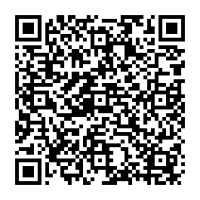
Official-Link QR Codes
QR codes are generated from the structured official-link data. Use them for quick access during assembly, driver installation, and maintenance.